Building this website’s enquiry and support workflow
Own-site project · WordPress · Website improvements
This project was built for webdeveloper.tools. The screenshots show this website’s empty public forms, without a customer identity, account or submitted enquiry.
The problem
A project discussion and an existing website issue need different information. We needed to explain what to provide, keep labels visible while typing, and make validation and sending feedback understandable without asking the visitor to guess the next step.
What we built
The project enquiry has three labelled sections: choose the help you need, describe your project, and provide contact details. It offers six service choices, including “Not sure yet”, and service-specific guidance. Budget and preferred timing are optional; scope and delivery arrangements still need agreement. Relevant service links can preselect the service.
A separate support request asks for the website, impact, issue and expected behaviour, followed by contact details. Optional prompts cover affected pages or users, attempted steps and when the issue began. The forms retain their verification step and allow an optional reference attachment with a stated file-type and 2 MB limit. Support response and resolution arrangements follow the existing agreement.
The interfaces
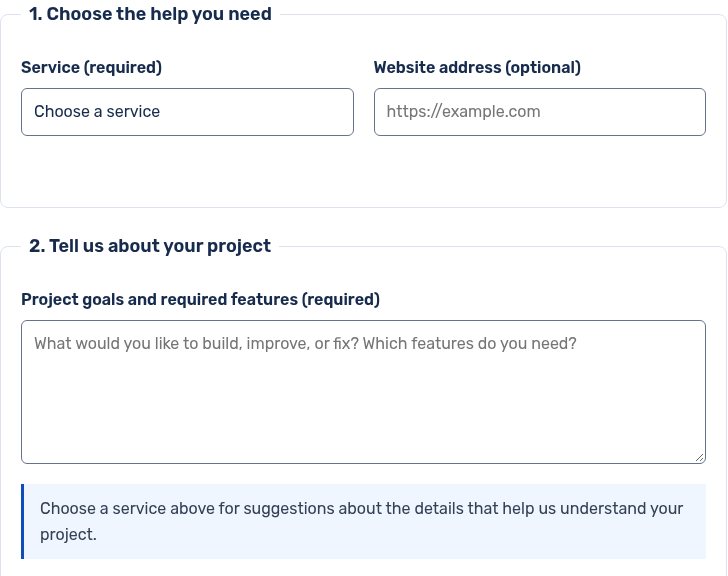
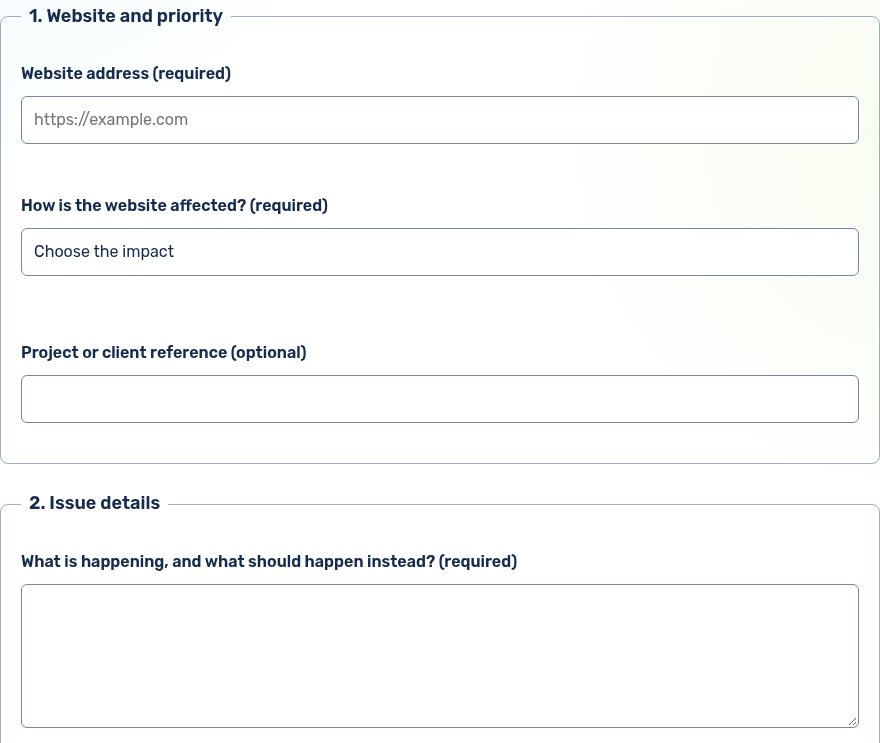
The screenshots are previews. Open the project enquiry or support request to read all fields and instructions.
Observed results
- Native checks confirmed the three enquiry sections, persistent labels with unique field associations, the configured required fields and validation of the allowed service choices. Local validation fixtures accepted complete synthetic values and rejected an unknown service; they sent no request.
- Read-only support checks confirmed the required website, impact, issue and contact fields, the optional attachment rules and links between support and project enquiries.
- Tracked Chrome support fixtures exercised sending, validation, failure and success feedback using intercepted, mocked responses. They checked the busy button state, prevention of duplicate sends, focus on the invalid field, retention of entered details after failure and reset after mocked success.
- The support fixture checked the public layout at 390 and 1280 px and retained the form with JavaScript disabled. These case-study screenshots were captured from fresh, empty public pages without submitting either form.
What the evidence covers
The evidence consists of this site’s native schema checks, local validation fixtures and tracked Chrome interface checks as of 30 September 2026. Mocked submission responses establish how the interface reacts to those states; they do not establish live email delivery or arrival in an inbox. No customer outcome, conversion improvement or response-time guarantee is claimed.
Explore the work
Explore the project enquiry, open the support request, or read the platform comparison case study.