Don't hesitate to contact us
Mon-Sun 9:00am - 5:00pm
Cloud / Infrastructure Service
What you receive
The deliverables included in your project are confirmed in the agreed scope. Typical work covers:
- A review of your hosting requirements and a proposed infrastructure approach.
- The hosting setup or migration included in the agreed scope.
- Configuration of the agreed cloud services for your website or application.
- Performance and security checks relevant to the agreed work.
- Monitoring, maintenance or troubleshooting where included in the scope.
As a provider of cloud and infrastructure setup and maintenance services, we help our clients ensure that their IT systems are running smoothly and securely. If you have a website or app that is slow, clunky, or difficult to manage, your issue may be related to the hosting itself. At website developer tools, we can provide bespoke solutions to host your website or app, ensuring that it performs well and is easy to manage.
Our team of experienced professionals has expertise in a wide range of technologies and platforms, including popular cloud providers such as AWS, Azure, and Google Cloud. We offer a range of services to help our clients get the most out of their cloud and infrastructure systems, including design and implementation, ongoing monitoring and maintenance, support and troubleshooting, and security assessments.
By partnering with us, our clients can trust that their cloud and infrastructure systems are in good hands, allowing them to focus on their core business operations. Whether you're looking to improve the performance of your existing website or app, or you need a new solution for hosting your online presence, we can provide the support and expertise you need.
- Amazon Web Services (AWS) is the world's leading cloud computing platform. It is used by many government agencies and some of the biggest websites in the world, and it offers a wide range of tools and services to help organizations of all sizes build, deploy, and manage their applications and infrastructure. With AWS, you can connect virtually anything to a network, from websites and mobile apps to satellites and IoT devices. AWS is a highly scalable and flexible platform, and it can support a wide range of use cases and workloads. While it can be somewhat costly, many organizations find that the benefits of using AWS outweigh the costs.
- DigitalOcean is a cloud computing platform that offers many of the same benefits as Amazon Web Services (AWS), but at a lower cost. It is a self-service platform that allows for full customization, but it may have limitations when it comes to scaling. Despite this, it is a popular choice for many organizations, especially those that are just starting out and need a cost-effective solution for hosting their websites and apps. Additionally, if your needs change in the future, it is relatively easy to migrate your applications and data to a different platform.
Cloud migration planner
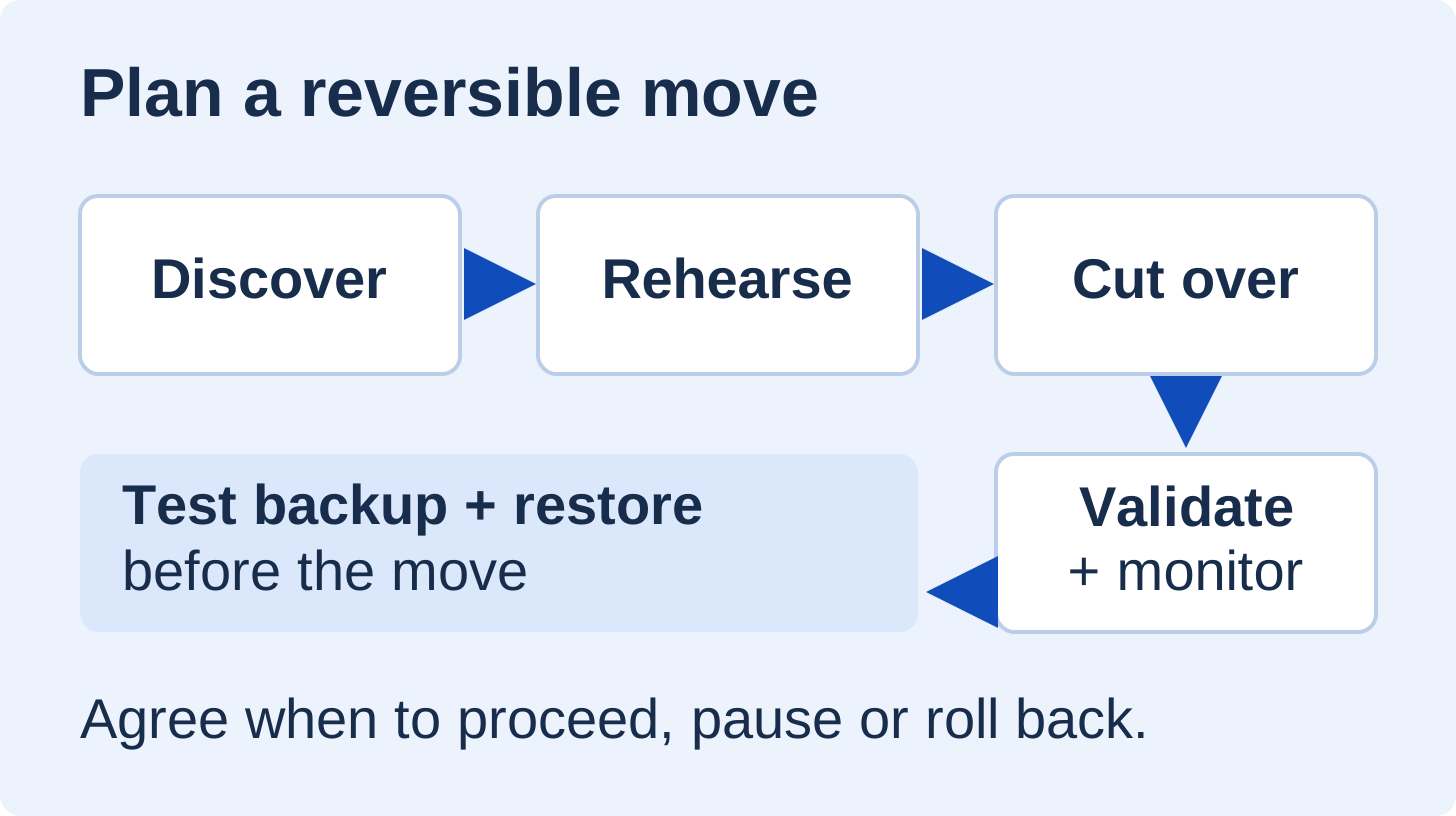
Use these stages to discuss a move to new hosting or cloud infrastructure. Confirm the planning points with the people responsible for your website, data and hosting before agreeing a migration date.
Expected disruption: The cutover window depends on the system, data volume and migration approach. Agree any maintenance period or pause in orders and content changes in advance. DNS caches can continue sending visitors to the old location after records change, so plan for both environments during the transition. The expected interruption and recovery arrangements are confirmed for your project.
Review the planning points below to identify what still needs to be agreed.
Discover the systems and dependencies
Map what is moving and what it relies on. Include the application, database, media, scheduled tasks, email, payment services and other integrations where relevant.
- Access owners and the systems included in the migration are identified.
- Dependencies and provider requirements are recorded.
- The target setup, acceptance checks and responsibilities are agreed.
Prepare backups and recovery
Protect the files, database and configuration needed to restore the service. Test recovery in a safe environment before relying on a backup.
- The backup scope, storage location and responsible person are agreed.
- A restore test and its outcome are recorded.
- Acceptable data loss and recovery priorities are discussed.
Prepare the target and rehearse
Set up a separate target environment and rehearse the move where practical. Check application compatibility, certificates, connectivity and integrations without disrupting the live system.
- The target configuration and access arrangements are reviewed.
- A rehearsal and the required functional checks are planned.
- The approach to synchronising changes made during the move is agreed.
Agree the cutover and DNS plan
Write down the order of changes, who approves them and when they happen. Review existing DNS records and their cache lifetimes (TTL), with enough time for any planned changes to take effect.
- The cutover window, timezone and any pause in writes are agreed.
- The DNS changes and checks for traffic reaching either environment are planned.
- The go/no-go decision owner and client communications are confirmed.
Validate the move and monitor
Plan checks for key journeys, data consistency, errors and performance. Keep the source available for the agreed recovery period while the new environment is reviewed.
- The post-cutover checks for pages, forms, orders and integrations are agreed.
- The data reconciliation checks and monitoring owner are identified.
- The review period and criteria for accepting the new environment are agreed.
Agree rollback and handover
Define what would trigger a rollback, who can authorise it and how traffic and data would be restored. Account for new orders or other changes after cutover before deciding to switch back.
- The rollback triggers, decision window and responsible people are recorded.
- The procedure for restoring traffic and reconciling new data is reviewed.
- Handover, ongoing support and safe retirement of the source are agreed.
Reviewing these points helps define the work. The final migration plan and approval to proceed depend on your systems and the agreed scope. Discuss your migration.
Related guides: website backup strategy and migration SEO checklist.
Planning references: AWS cutover planning guidance and Cloudflare DNS cache lifetimes.